Friday, March 24, 2017

Spanish Trivia Game with 200+ Questions!

One of the more popular activities hosted by NSU's Spanish Club is our Spanish Trivia Night!

Family and friends come for an hour of trivia related to the Spanish language, countries, culture, and history.

Some of the questions are pretty easy, but many can be tricky. (The mix makes it more fun!)

For our Trivia Nights I built a downloadable trivia game called: Risky Trivia. You can download the game online for free, or even just play it directly in your web browser for free. You can also see all the questions and answers, or just the answer key, online for free.

Here's how we do our Trivia Nights:

- Prepare: print off a copy of the answer sheet. Show up early and download the game and run it in "In a group" mode.
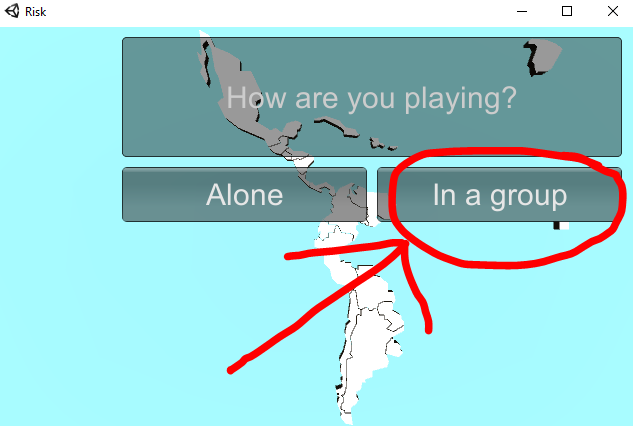
- Play:
     - Divide the participants into up to six groups.
     - Assign each group one of the game's colors.
     - Start the game (the groups take turns):
          - On a group's turn they get a question.
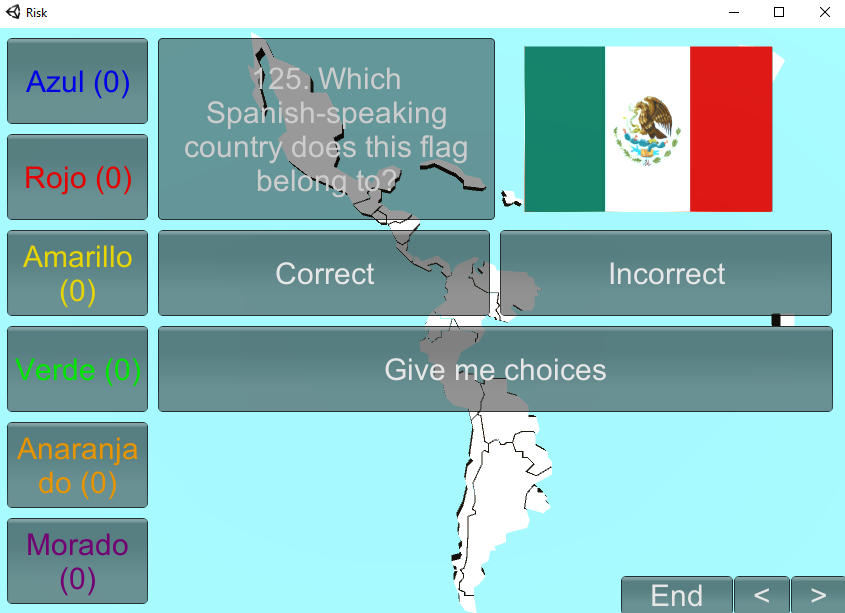

          - They can try to answer the question as shown, or they can ask for choices.


          - Usually the way we play is: if they can answer the question without asking for choices, then they get to steal another group's country. But if they have to get choices, then they can only take over an unoccupied country.
          - If they get a question right, then click on their color and then on the country of their choice, to make that country that color.


          - If they get it wrong, then you just move on to the next question.
     - The game ends when you run out of time, or (unlikely) when you run out of questions. (There are 200+ questions!)

- Finish: The boxes on the left show how many countries each team controls. Whichever team controls the most countries wins the game.

Because there are so many questions, and because the questions are presented in a random order each time, this game has a lot of replay value! We usually have a Trivia Night once a semester. And I usually add new questions each semester! (Feel free to suggest new questions!)

Finally, if you are offering credit for attending your Trivia Night, but don't want to exclude students who can't make it, then you can always allow them to play the game at home in "Alone" mode. I usually tell them that they have to get at least 50 questions right, and that they can't miss more than 20. (That way they have to pay attention.) After they finish playing, have them take a screenshot and email it to you and voilĂ !

I hope that you enjoy this fun Trivia Game! I'd love to hear how well it works, see pictures, and receive comments/suggestions! Happy Language Learning!

Monday, February 13, 2017

Dr. Agon's Pasapalabra

At the request of a local Spanish teacher, I created this customizable version of the popular game show "Pasapalabra" (which in turn was based on the British game show "The Alphabet Game").

To play this game, the first thing you'll want to do is download and install the game.

You can find instructions for how to download and install one of my custom unity games here.

Once everything is on your computer, simply run the app.

On the first screen you'll be allowed to choose whether to set up a new game (provide it's name here!) or open a saved game.


When setting up a new game, the first thing you do is enter the answers. Be sure that each answer contains the letter associated with it! (If you don't want to use all the letters, no problem! Any letters you leave alone will be omitted from the game.)


Next, you'll enter in the prompts. These should give the clues necessary to guess the target word.


Now your game is ready to play! If you aren't going to play now, just close the app and open it when you are ready. Here is what the main game interface looks like:


 A player clicks on a letter, and is provided with a prompt, they then need to type what they think the answer is in the box in the middle and click submit. (They can use the buttons on the left to help with special characters.)


When a player gets an answer right, the button for that letter turns green, and the countdown number in the top right drops by one. Once all the boxes are green and the countdown reaches 0 the game is over!


Note that the game is only saved directly to your computer. So you won't be able to play it on another one.

I'd love to hear suggestions on how to improve this game, and also hear any comments on how well this game has worked in your class! Have fun teaching!

See sample content ideas here.

Please post any suggestions for more shared content ideas in the comments section below.

Here you can see the slideshow about Pasapalabras presented at UAFS in the fall of 2018.

This link is for the UAFS 2018 presentation activity.